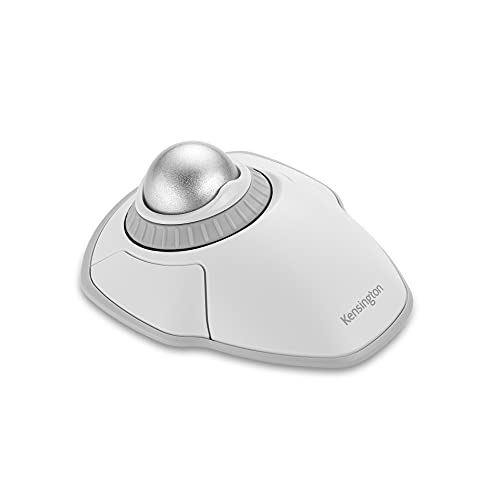

Kensington Orbit Wireless Trackball with Scroll Ring – White (K70991WW)
$49.99
- Dual wireless connectivity offers the flexibility of 2.4 GHz and Bluetooth LE, with 128-bit AES government-grade encryption security
- The scroll ring lets you spin the dial to move up and down web pages or documents with complete ease. And the 40mm ball’s hard surface is specially designed as a perfect sphere for precise tracking and control
- Four DPI settings let you easily adjust the cursor speed to fit your needs by selecting the appropriate level (400, 800, 1,200, or 1,600) — lower DPI for precision editing, and higher DPI for word processing or casual browsing
- Ambidextrous design works equally well for right-handed and left-handed users. Trackball reduces wrist and hand movement to ease repetitive-stress injuries
- Free *KensingtonKonnect downloadable software provides a personalized experience, giving you the ability to assign a variety of functions (including shortcuts) to the buttons, and adjust cursor and scrolling speed. *Windows ARM-based computers are currently not supported. Please check back for future updates on compatibility
- Optical tracking technology delivers precise cursor movement for superior accuracy, so you can get where you want on the screen quickly with less hand movement, improving productivity and efficiency
- A detachable wrist rest delivers soft cushioning to support the hand and wrist in ergonomic comfort for pain-free productivity during extended periods of activity on the computer
- Mac and PC compatible
- 1. Un-plug and re-plug the Trackball. 2. Test the device on another port or computer. 3. Remove and clean ball with dry cloth by pushing from underneath. 4. Install a fresh set of batteries in the Trackball



There are no reviews yet.